
Quick Answer
To build your brand on LinkedIn, start with a clear headline, a story-driven About section, and proof of your skills in the Featured section. Post one to two times per week around a few focused content pillars, request recommendations from managers and colleagues, and keep every section consistent with your resume. A complete, active profile that reinforces the same expertise across posts and comments makes you far more visible to recruiters, hiring managers, and LinkedIn’s own algorithm.
Key Takeaways
- Your LinkedIn headline should communicate your value rather than just your job title.
- A complete profile gets significantly more attention from recruiters than an incomplete one.
- Three to five focused content pillars (the recurring topics you post about) help both people and the algorithm recognize your expertise.
- LinkedIn’s system appears to reward saves, dwell time (how long someone spends reading a post), and topical consistency over likes alone.
- Real proof, like projects and results, builds more trust than claims alone.
- Posting once or twice a week beats a burst of activity followed by silence.
- Recommendations and thoughtful comments are among the most trusted signals on your profile.
- A strong LinkedIn brand supports your resume. It does not replace it.
Table of Contents
Your LinkedIn profile is the first thing a recruiter sees, before your resume and before an interview. If your profile is thin or outdated, it works against you before you get a chance to speak for yourself. If you want to build your brand on LinkedIn, you need a profile that shows who you are, what you can do, and where you are headed. This guide walks you through exactly how to do that, one step at a time.
What It Means to Build Your Brand on LinkedIn
Building your brand on LinkedIn means shaping how people see you online, on purpose. It is the combination of your headline (the short line under your name), your About section (the summary near the top of your profile), your work history, your content, and your network. Together, these pieces tell one clear story about who you are professionally.
A personal brand is not hype or self-promotion. Harvard Business School Online describes personal branding as the practice of defining your value so people form an accurate picture of you (Harvard Business School Online). On LinkedIn, that picture forms through specific details: what you say about yourself, what you post, and who backs you up with recommendations.
A clear brand does more than build your reputation. It also helps people find you. LinkedIn’s ranking system looks for clear topics, so a defined brand helps both the platform and the people who visit your profile understand what you offer (Alexander Low) (Jonathan Saipe).
This matters even more early in your career. You do not have ten years of results to point to yet. Your LinkedIn brand becomes the way you translate a shorter work history into a full picture of what you can do. Our guide on how to build a personal brand covers the same idea in more depth beyond LinkedIn alone.
Why Your LinkedIn Brand Matters Right Now
Employers do not wait for an interview to form an opinion of you. Most research candidates online before they ever pick up the phone. Nearly all employers (98%) now research candidates online before making a hiring decision, and 47% say they will not interview someone they cannot find online (Wave CNCT).
Recruiters also search LinkedIn directly, beyond a general web search. A large share of recruiters use platforms like LinkedIn to source candidates before a job is even posted (Staffmg). And 70% of employers say a strong personal brand matters more to them than a resume alone (DSMN8).
None of this means your resume stops mattering. It means your LinkedIn profile now works alongside it before your resume gets a real look. For a deeper look at how your digital presence shapes hiring decisions, see our guide to building a positive professional online reputation. If you are still early in your search, our entry-level job search tips pair well with the steps in this guide.
Define What You Want to Be Known For

The strongest LinkedIn brands are narrow enough to be memorable, not broad enough to describe an entire career. Being specific about your focus helps people, and LinkedIn’s own systems, connect you with a clear skill or field (Thought Leadership) (Gromming).
A simple framework helps: the type of role or team you want to work with, the value you bring to that team, what makes your approach different, and what proof backs it up. This is the difference between “marketing professional” and “marketing coordinator who turns social content into measurable engagement” (AuthoredUp) (Jobscan).
Try building your own personal brand statement with one of these formulas, adapted here for an early-career audience. These are starting points to adjust in your own words, not scripts to copy exactly.
| Type | Formula | Example (adapted from Thought Leadership formulas) |
|---|---|---|
| Transformation | I help [team or employer] achieve [result] | I help early-career marketers turn a thin resume into a complete LinkedIn story. |
| Authority | The [skill] person for [type of team] | The go-to person for LinkedIn optimization on any early-career job search team. |
| Outcome + proof | [Role] who delivers [result] backed by [proof] | Marketing coordinator who increased a small-business client’s organic reach by 30% or more. |
Once you know what you want to be known for, keep every part of your profile pointed in that direction. If your headline says one thing and your posts say another, it becomes harder for people and LinkedIn’s algorithm to place you as an expert (Jonathan Saipe) (Naveen Prabhu).
How to Build Your Brand on LinkedIn: A Step-by-Step Guide
Building a strong LinkedIn brand is not complicated, but it does take intention. Follow these seven steps in order.
Step 1: Audit What Is Already There
Before you change anything, look at your profile the way a stranger would. Read your headline, About section, and experience with fresh eyes.
Ask yourself three questions. Does this profile say what you want to be known for? Does it match your resume? Does it look active, with a recent post or update?
If the answer to any of these is no, you have found your starting point. A full digital footprint audit can help you see your online presence the way an employer would.
Step 2: Write a Headline That Does More Than State Your Title
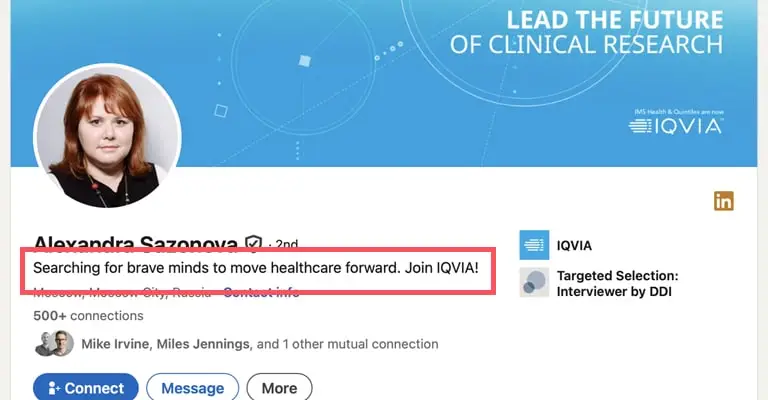
Your headline appears everywhere on LinkedIn, in searches, comments, and connection requests. A headline that only lists your job title wastes that space.
Stronger headlines combine your role, your specialty, your outcome, and a proof point instead of a job title alone (AuthoredUp) (Jobscan). For example: “Marketing Coordinator | Content Strategy | Helping B2B Brands Grow Through Storytelling.”
Keep it specific to you. A generic headline blends in with thousands of others in your field. For a full section-by-section walkthrough, see our guide to optimizing your LinkedIn profile.
Step 3: Turn Your About Section Into a Story
Your About section should read as if a person wrote it, not a resume bullet list. Forbes personal branding expert William Arruda recommends aiming for roughly 70% likability and 30% credibility in this section (Forbes).
The best About sections follow one pattern. They open with a clear point of view or problem. They add proof. They close with one clear next step, like connect or message, instead of reading like a timeline (Careerbldr) (ConnectSafely.ai).
Open with who you are and what drives you. Then describe what you have done and what you are working toward. Close with an invitation, such as an openness to new projects or conversations in your field.
Step 4: Show Proof in the Featured Section
Claims without evidence do not build trust. The Featured section, a spot on your profile where you can pin your best work, is where you show your work instead of just describing it.
Add a report you wrote, a presentation you gave, or a project you led. If you do not have a portfolio yet, a personal brand website gives you a place to house that proof and link it directly into this section.
Three to five strong examples are enough. Quality matters more than quantity here.
Step 5: Optimize Your Skills and Request Endorsements

Add skills to your Skills section that match the language used in job postings for roles you want next. This helps your profile surface in recruiter searches.
Once your skills list is accurate, ask people you have worked with to endorse you. A short, direct message works well: “Would you be willing to endorse me for this skill? I would be glad to return the favor.”
Endorsements, the one-click confirmations that you have a specific skill, carry more weight when they come from real colleagues than a long, unverified skills list.
Step 6: Turn On Creator Mode and Post With Purpose
Creator Mode, a LinkedIn setting that highlights your topics and adds more detailed analytics, helps the right people find your content. Elmhurst University recommends using these tools as part of a complete profile strategy (Elmhurst University).
You do not need to post daily. One or two thoughtful posts per week, kept up over time, work better than a burst of activity followed by silence.
Write about what you are learning, a project you finished, or a trend in your field. Specific posts perform better than generic ones.
Step 7: Ask for Recommendations
Written recommendations are one of the most trusted signals on your profile, because someone else is vouching for you.
Ask two or three people per year, such as a manager, a mentor, or a cross-functional partner. Make the ask specific: mention a project you worked on together so they have something concrete to reference.
A handful of specific, well-written recommendations does more for your credibility than a generic one from years ago.
The seven steps above cover what every LinkedIn profile needs. If you want to go a step further and get noticed before you even apply, the sections below explain how LinkedIn decides who to show your posts to, and how to use that to your advantage.
How LinkedIn’s Algorithm Rewards Consistency

LinkedIn’s algorithm, the system that decides what shows up in people’s feeds, increasingly rewards clear topics and staying consistent, more than raw activity. The platform appears to favor content and profiles that clearly show what a person is known for (Alexander Low) (Jonathan Saipe).
Several experts describe a multi-step process for spreading posts. A post is first checked for quality, tested with a small audience, then shown to more people based on how well people engage with it, more than how many reactions it gets (SocialBee) (Jonathan Saipe).
Deeper signals matter more than surface activity. Saves, thoughtful comments, and longer reading time seem to carry more weight than likes (Teract) (Meet Lea).
The lesson is simple. Posting about a focused set of topics again and again, instead of jumping between unrelated subjects, makes it easier for LinkedIn to connect you with the right audience (Gromming) (Jonathan Saipe).
Build Content Pillars That Reinforce Your Brand
A strong LinkedIn brand rests on three to five repeatable themes. These themes should match your skills, what your audience wants to know, and your career goals (Supergrow) (Taplio).
For an early-career professional, useful pillars include lessons from your current role and industry trends. Career and job search strategy is another good pillar, as are reflections on specific projects. Repeating related themes builds a stronger identity than one strong post followed by unrelated content (InfluenceFlow).
Within those pillars, a few formats work well. Tactical posts that teach a process or checklist are one option. Posts built around one lesson or data point are another. Personal story posts that connect an experience to a professional takeaway also perform well (Gromming) (Charlie Hills). A carousel, a post made of several image slides someone swipes through, is one of the strongest formats for these posts.
| Format | Common Strengths | Typical Best Use |
|---|---|---|
| Document or carousel | High dwell time, easy to save and revisit | Frameworks, checklists, and step-by-step breakdowns (Meet Lea) |
| Text post | Fast to publish, strong for a clear point of view | Short lessons, opinions, and personal stories (ConnectSafely.ai) |
| Video | Stronger sense of personality and trust | Quick explanations or reactions to a trend (Meet Lea) |
| Image / graphic | Useful when the visual adds real meaning | Charts, quotes, and proof visuals (Buffer) |
Write Hooks That Earn the First Two Lines
The first line or two of a LinkedIn post, often called the hook, decides whether someone keeps reading. Strong openers rely on curiosity, tension, specificity, or a relatable problem (LinkedGrow.ai) (ConnectSafely.ai) (Syxo AI).
A few examples of what this looks like in practice: naming a specific number, sharing a lesson learned the hard way, or promising one change that made a real difference (ConnectSafely.ai) (LinkedGrow.ai) (Syxo AI). Save strongly opinionated hooks for once you are comfortable posting regularly, since they can draw more attention than you want on a brand-new profile.
Hooks work best when they create genuine curiosity and still deliver something useful. Vague intrigue with no payoff earns a click, but it wears down trust over repeated posts (Monolit) (ConnectSafely.ai).
Grow Your Brand Through Engagement, Not Just Posting
Comment With Purpose
Thoughtful comments place your profile in front of an already engaged audience. Short praise comments carry little weight, but comments that add perspective or a real example create more visibility (Becca Chambers) (Forbes).
A simple structure works well: acknowledge the point, add one specific insight or example, then close with a genuine question.
Build Connections With Intention
Connection requests work better when they are personal and follow an earlier interaction, like a comment (Gromming) (Spylead).
Good sources for new connections include people who engage with your posts and alumni from your school. Peer professionals in your field are another good source, as are recruiters or hiring managers in your target industry (Forbes).
Consider a LinkedIn Newsletter for Deeper Authority

A newsletter is optional, and it is worth adding once posting feels comfortable, not something to start on day one.
LinkedIn newsletters help you stay in front of your audience over time, more than single posts alone (Postory) (InfluenceFlow).
A newsletter works best with one narrow, specific promise. Call it something like “Weekly Career Lessons” instead of a general “thoughts and updates” format since a specific promise gives readers a clear reason to subscribe and return (Gromming) (ContentIn).
Track the Metrics That Actually Matter
Likes and impressions are the easiest numbers to see, but they are not the strongest sign of brand growth. Saves, profile views from a post, follower growth, and messages from new people matter more (GrowHub) (Linkedist).
| Metric | Why It Matters |
|---|---|
| Saves | Shows content was useful enough to revisit later (GrowHub on LinkedIn) |
| Profile views from a post | Shows deeper interest in you personally, beyond the topic itself (GrowHub on LinkedIn) |
| Followers gained from a post | Shows which content compounds your growth (GrowHub on LinkedIn) |
| Who is seeing your content | Shows whether the right people, by seniority and industry, are seeing it (GrowHub on LinkedIn) |
| Inbound messages or opportunities | Shows your brand is working (Linkedist) |
A post with fewer reactions but more saves and profile visits can matter more than a widely seen but forgettable one (Linkedist).
How a Strong LinkedIn Brand Creates Opportunities
A consistent LinkedIn brand follows a simple path. You publish content that makes your expertise clear. You earn profile visits and follows from the right audience. That trust eventually turns into conversations, such as an informational interview (a casual conversation with someone in your field, not a job interview), a referral, or a message from a recruiter (PostGun) (InfluenceFlow).
Your profile works like a landing page; your posts capture attention; and your Featured section and each conversation move that attention toward a real opportunity. Treating your LinkedIn brand as an ongoing system, not a one-time setup, is what makes this path work over time (PostGun).
A 90-Day Framework for Building Your LinkedIn Brand
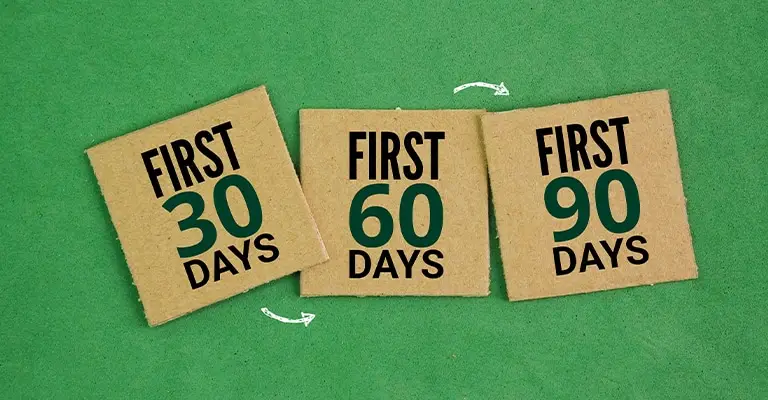
With all of these pieces in mind, here is how to sequence them. Spread the work in this guide across roughly 90 days (Careerbldr) (AuthoredUp).
- Weeks 1–2: clarify your positioning, rewrite your headline and About section, set up your Featured section, and choose three to five content pillars.
- Weeks 3–6: post consistently across those pillars, start commenting with purpose, and refine your hooks and formats based on saves and profile views (ConnectSafely.ai) (GrowHub).
- Weeks 7-12: focus on your best themes. Start a newsletter if you want one. Make your next step clearer in your Featured and About sections (Postory) (InfluenceFlow).
This phased approach works because LinkedIn visibility compounds. The platform gathers clearer signals about what you consistently contribute to the longer you stay consistent (Jonathan Saipe) (Thought Leadership).
Common Mistakes That Undermine Your LinkedIn Brand
A few mistakes regularly pop up, even among motivated professionals.
Leaving Your Profile Incomplete
This is the most common mistake. A missing photo, empty About section, or blank Featured area signals inactivity to anyone who visits, even if you are active on the platform.
Sounding Inconsistent Across Platforms
If your LinkedIn says one thing about your goals and your resume says another, it creates doubt. Our guide to protecting your online reputation covers how to keep all your platforms aligned.
Posting Without a Clear Topic Focus
If your content jumps between unrelated topics, people struggle to remember what you are known for. It also makes it harder for LinkedIn to place you as an expert in any one area (Peace Okagbare) (Charlie Hills).
Chasing Likes Instead of Saves and Profile Visits
Likes are the easiest number to see, but they can mislead you about what content is actually working. Saves and profile visits are a stronger sign your brand is landing with the right people (Linkedist).
Waiting Until You Are Job Hunting to Update Your Profile
Many professionals update their profiles only when they start job hunting. By then, you are rebuilding your brand under pressure instead of maintaining it. If you want ongoing support keeping your online presence consistent and current, Bright Future Branding builds personal brand websites that pair directly with a strong LinkedIn profile.
People Also Ask
How long should it take to build a LinkedIn brand?
A full profile update, including your headline, About section, and Featured section, takes two to three hours of focused work. Building a track record of posts and recommendations takes longer, several months of consistent effort.
Do I need a personal website in addition to LinkedIn?
LinkedIn should be your primary hub, but a personal website gives you more room to show your full story and work samples. It also helps you appear in searches that LinkedIn alone cannot reach. See our comparison of a resume, LinkedIn, and a personal website for how the three work together.
How often should I post on LinkedIn to build my brand?
One to two posts per week, kept up consistently, works better than posting daily for a short period and then going quiet. Consistency matters more than volume.
What if I do not have much work experience yet?
Include class projects, volunteer work, and freelance projects in your experience and Featured sections. Evidence of your skills matters more than your job title.
What is a content pillar, and do I need one?
A content pillar is a repeatable theme you post about, such as career lessons or industry trends. Three to five pillars help people and LinkedIn recognize what you are known for.
How do I know if my LinkedIn hooks are working?
Check whether people expand your posts to read more, rather than scrolling past. Rising saves and comments on your opening lines are a good sign your hooks are landing.
Quick Framework Recap
Before you move on, here is the short version. Audit your profile, write a specific headline, tell your story in About, show proof in Featured, optimize your skills, post consistently around a few content pillars, use strong hooks, and ask for recommendations. Each step builds on the one before it, and consistency across all of them builds momentum on LinkedIn. Our broader guide to developing your personal brand walks through how these pieces fit together beyond LinkedIn.
Conclusion
A strong LinkedIn profile does not happen by accident. It takes a clear headline, an honest About section, real proof of your work, and consistent activity over time.
Start with one step today. Update your headline, or add a project to your Featured section. Small, consistent changes compound into a profile that works for you around the clock.
If you want a complete personal brand that goes beyond LinkedIn, build your personal brand website with Bright Future Branding today and give employers a full picture of who you are.
Checklist
| Action Item | |
|---|---|
| [ ] | Add a professional photo and banner image |
| [ ] | Write a specific, keyword-rich headline |
| [ ] | Rewrite your About section as a story |
| [ ] | Add three to five items to Featured |
| [ ] | Update your skills to match target roles |
| [ ] | Request endorsements from real colleagues |
| [ ] | Turn on Creator Mode |
| [ ] | Define three to five content pillars for your posts |
| [ ] | Write hooks using curiosity, tension, or a specific number |
| [ ] | Post one to two times per week |
| [ ] | Comment on posts with a real insight, not just praise |
| [ ] | Track saves and profile views, not just likes |
| [ ] | Consider starting a focused LinkedIn newsletter |
| [ ] | Request two to three recommendations |
| [ ] | Review your profile every quarter for consistency |
FAQ
What does it mean to build your brand on LinkedIn?
It means shaping your headline, About section, work history, and content so they tell one clear, accurate story about your professional value. Instead of leaving your online image to chance, you decide what people see and learn about you. Every part of your profile should point toward the same identity, so a recruiter or colleague can quickly understand what you do best and where you are headed.
Is LinkedIn Creator Mode worth using early in my career?
Yes. Creator Mode adds topic tags and more detailed analytics, which help the right people discover your posts. It also signals that you are actively engaged with your field instead of leaving a static profile untouched. Early in your career, this extra visibility can help you reach recruiters, mentors, and peers who would not otherwise come across your content, even if your following is still small.
How do I write a LinkedIn headline that stands apart from others?
Go beyond your job title. Include your specialty and the value you bring, such as a skill area or the type of work you do best. A specific headline helps you appear in more relevant searches and gives visitors a reason to keep reading your profile. Avoid vague phrases like hard worker or passionate professional, since they do not tell anyone what makes you different.
Should you write your About section in first or third person?
First person feels more personal and approachable, which fits most professional profiles well. Third person can work for highly formal industries, but it reads as less authentic on LinkedIn. Whichever you choose, stay consistent throughout the section. Mixing perspectives partway through feels jarring to a reader and makes your profile seem less carefully written than it should be.
How many recommendations should I have on my profile?
Two to three strong, specific recommendations are enough to build credibility. A handful of detailed recommendations carries more weight than many generic ones. Focus on quality over quantity, and ask people who can speak to a specific project or result. A recommendation that mentions real details about your work will always stand out more than a vague, one-line compliment.
What should go in my Featured section if I am early in my career?
Include class projects, internship work, volunteer projects, or any writing and presentations you have created. The goal is to show real evidence of your skills, not just claim them. Even a single well-documented project, explained with the problem you solved and the result you achieved, can do more for your credibility than a long list of unfinished or vague accomplishments.
How do employers use LinkedIn during hiring?
Many employers research candidates online before scheduling an interview. Recruiters also actively search for candidates on LinkedIn before a role is publicly posted. A complete, active profile increases your chances of being found and considered for opportunities you never formally applied to. An outdated or incomplete profile can quietly work against you, even if your actual qualifications are strong.
Do I need to post every day to build a strong brand?
No. One or two thoughtful posts per week, kept up consistently, works better than posting daily and then stopping. Consistency over months matters more than frequency in any single week. What matters most is that each post reinforces the same few topics you want to be known for, rather than increasing how often you appear in someone’s feed.
How is a personal brand different from a resume?
A resume lists your history in a fixed format for a specific application. A personal brand, including your LinkedIn presence, tells an ongoing, fuller story about who you are and where you are headed. It updates in real time, reflects your personality and values, and lets people get to know you before you ever apply or walk into an interview.
Can a personal website help my LinkedIn brand?
Yes. A personal website gives you more space to show your full story, portfolio, and work samples than LinkedIn alone allows. It also increases your visibility beyond LinkedIn’s own search results. Recruiters and hiring managers who search your name directly are more likely to find a clear, owned page instead of scattered social profiles that do not reflect your current focus.
What does LinkedIn’s algorithm reward right now?
Current research points to clear topics, consistency, and depth signals like saves and reading time, rather than likes alone. Posting consistently within a focused set of topics performs better than scattered content. The platform appears to test posts with a small audience first, then show them to more people based on how useful that audience finds them, more than how many people react.
How many content pillars should I focus on?
Three to five focused pillars work well for most early-career professionals. Fewer, well-defined themes build a clearer identity than a wide, unfocused mix of topics. Choose pillars that reflect both what you know and what your target audience cares about, such as lessons from your current role, industry trends, or career strategy, and return to them consistently across your posts.
Glossary
| Term | Definition |
|---|---|
| Personal brand | The intentional story you tell about your professional value and identity. |
| Headline | The short line under your name on LinkedIn that appears in searches and comments. |
| About section | The summary area on your profile is where you describe your background and goals. |
| Featured section | A profile area for showcasing work samples, projects, or links. |
| Creator Mode | A LinkedIn setting that adds topic tags and expanded content analytics. |
| Recommendation | A written endorsement from a colleague, published directly on your profile. |
| Endorsement | A one-click confirmation from a connection that you have a specific skill. |
| Skills section | The list of abilities on your profile that recruiters can search by. |
| Content pillar | A repeatable theme you post about that reinforces what you want to be known for. |
| Hook | The opening line or two of a post that determines whether someone keeps reading. |
| Dwell time | The amount of time someone spends reading or viewing a piece of content. |
| Save | A metric showing someone stored a post to revisit later, signaling real usefulness. |